
Discount app for Shopify · Early access
Get your deals noticed, from homepage to checkout.
SalesJuice shows shoppers every offer on your store, and exactly what unlocks it. Shopify’s checkout applies it.
Check your inbox to confirm your spot.
We’ve sent you a link to confirm.
Sound familiar?
“My best deals are invisible until checkout.”
Shoppers don’t know a deal exists, or how close they are to unlocking it.
“I can’t build the offer I actually want.”
Spend $100 for 15% off. Buy 2, get 1 free. VIP-only. Weekends only. First order only. Once per customer.
“My discounts collide.”
Two stack when they shouldn’t, and nobody can say which one wins.
“I can’t tell if a discount made me money.”
Or whether it just handed margin to people who’d have bought anyway.
How it works
Three steps. No theme code.
Built so the offer shoppers see is the offer checkout applies.
Build the offer.
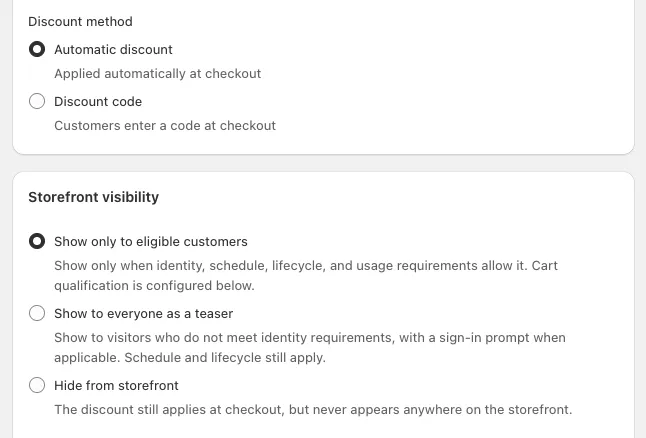
Choose the discount, who gets it, when it runs, how often it can be used and what it stacks with.
Shoppers see it on your store.
A badge on the product card, a live progress line, and one panel with every offer. You add them as blocks in the Shopify theme editor.
Shopify applies it at checkout.
Discounts run on Shopify Functions inside Shopify’s own checkout. No Scripts, no checkout hacks, and no code to type for automatic offers.
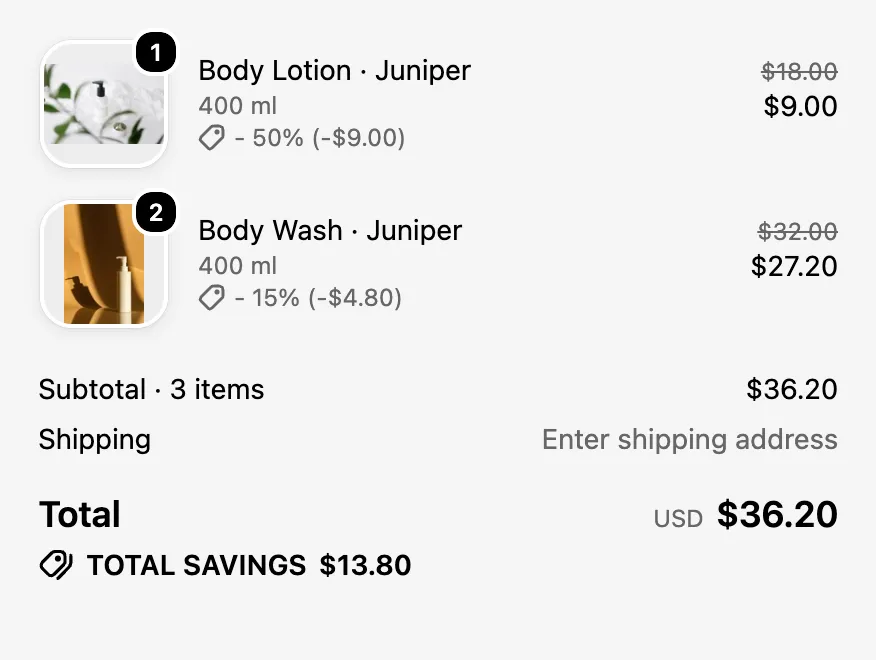
Shopify’s checkout applies it — no code needed. On a product page, under the buy buttons, an offer card reads “Buy 2 body washes, get 1 lotion half off · 50% off Body Lotion · Juniper applied · Applied at checkout”. At Shopify’s checkout, the same basket shows the body lotion at −50% (−$9.00) and the body washes at −15% (−$4.80), a total of $36.20 and total savings of $13.80.
See it on a store
Watch a deal unlock.
Shoppers see the offer, see how close they are, and see it land. Here’s the whole journey on a demo store.
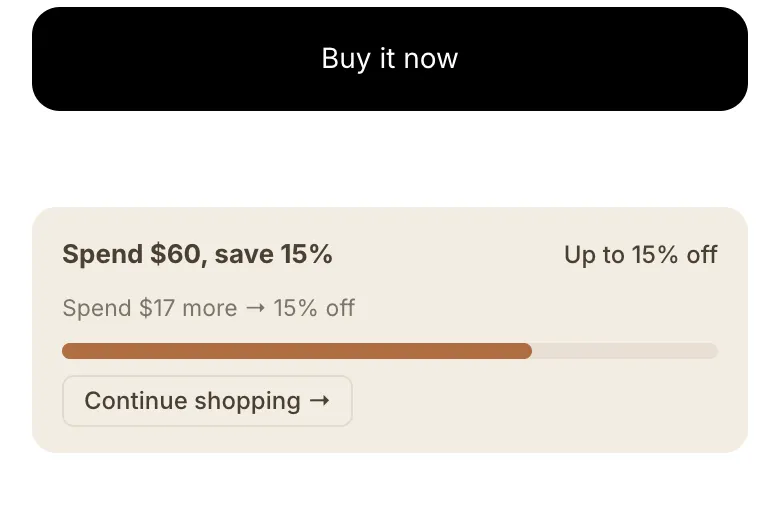
At the top of a $34 day cream’s product page, the offers bar reads “Free shipping over $40 · Spend $40 more → free shipping”. The shopper scrolls down to an offer card reading “Spend $60, save 15% · Spend $60 more → 15% off” and adds the cream to the cart: the card’s progress bar fills to “Spend $26 more”. A second add unlocks both offers: the card turns green and reads “15% off applied · Applied at checkout”. Back at the top, the bar reads “Free shipping over $40 · Free shipping — at checkout”.
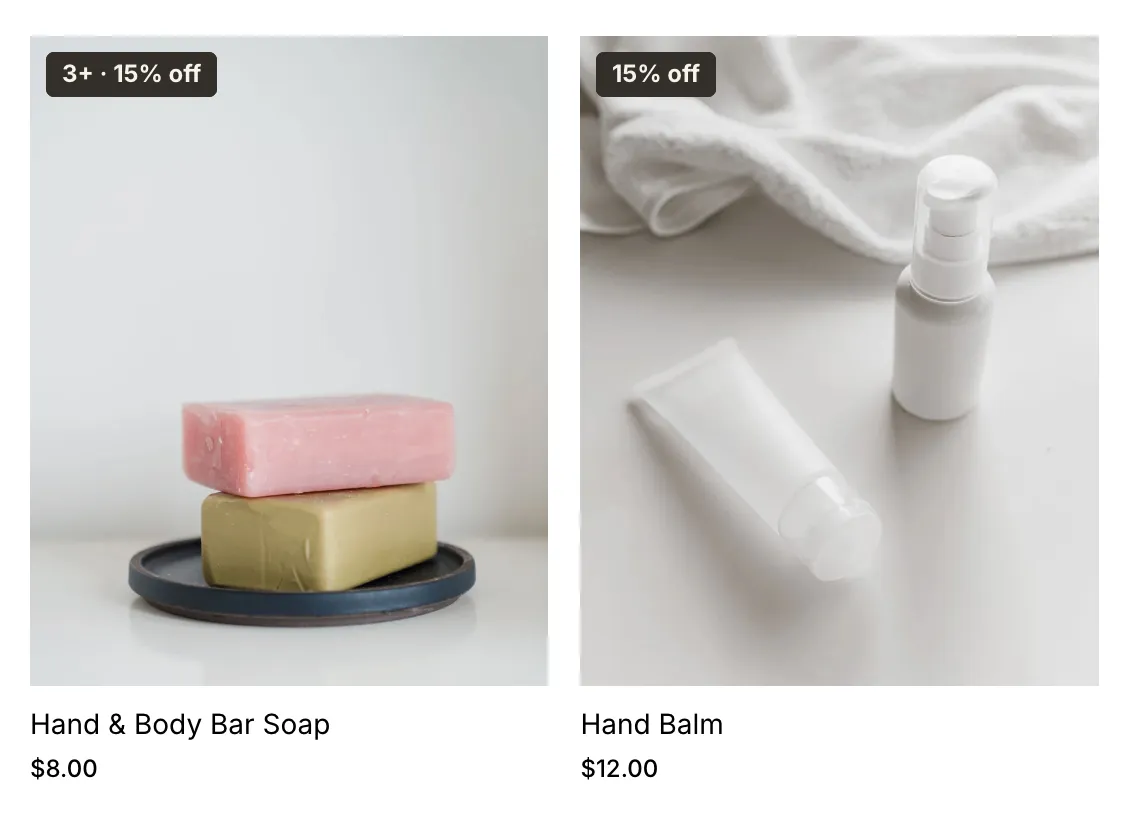
On the product card
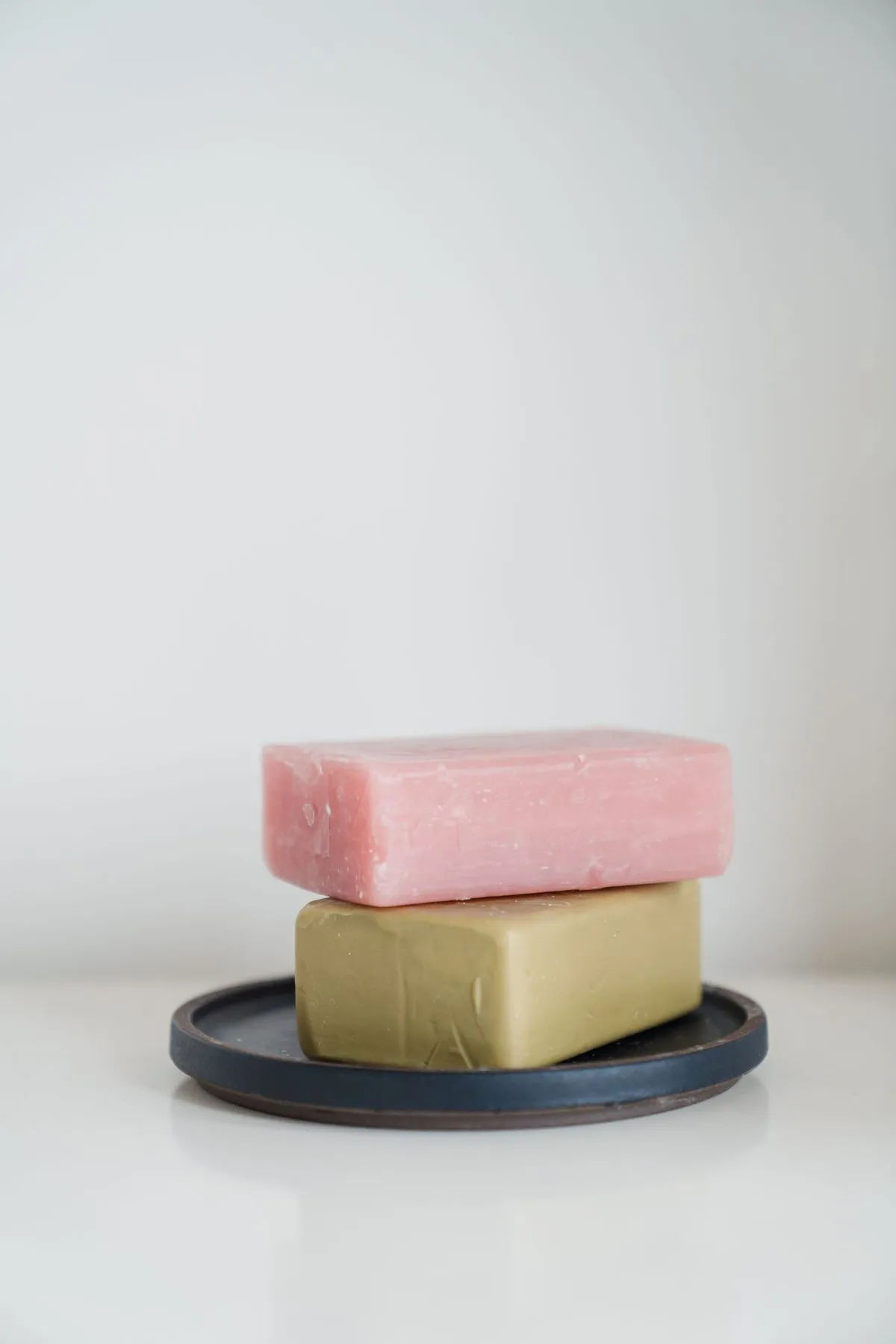
Hand & Body Bar Soap
$8.00
As they shop
Spend $12 more — unlock 15% off
The moment it unlocks
Just unlocked
Shopify applies at checkout · no code needed
✓ 15% offYou’ve unlocked 15% off — applied at checkout
At checkout
One panel for every offer.
One Your offers panel puts Your best next step first, then sorts the rest:
- Applied to your order
- Almost there
- Available offers
- VIP only
Guests see “Sign in to unlock this offer” on member-only deals.
With two bar soaps and a body wash in the cart, a shopper opens the Your offers panel from the bar at the top of the page. It reads “0 active · 5 available”, and “Your best next step” shows “Free shipping over $40: spend $8 more → free shipping”, its progress bar most of the way along. Opening the other offers lists three under “Almost there”, each bar part-filled: “Buy 3 bars, save 15%: add 1 more for 15% off”, “Spend $60, save 15%: spend $28 more → 15% off” and “Buy 2 body washes, get 1 lotion half off: 1 more Body Wash · Juniper to qualify”. Below them, under “Available offers”, is “Buy 2 lip balm duos, save 10%”.
Steps 1–3 recreate SalesJuice’s storefront wording. Step 4 and both clips are real captures from a demo store. Colors, shape and wording are set in the Shopify theme editor to match your brand.
Offers you can build
Offers you can actually build.
Written the way you’d say them. Every one is a SalesJuice rule.
Spend threshold
Spend $100, get 15% off
Quantity break
Buy 3 or more, save 10%
Buy X Get Y
Buy 2, get 1 free
Free shipping · Schedule
Free shipping over $50, weekends only
Customer targeting
VIP-only: 20% off for customers with 5+ orders
First order · Usage limit
10% off a first order, once per customer
Win-back
Haven’t ordered in 90 days? 15% off to come back
Schedule · Collection
20% off one collection, the first week of every month
Plus: discount codes or automatic discounts, percentage or fixed amounts with an optional cap, total and per-customer usage limits, and campaigns with their own dates.
You decide which one wins.
Give each rule a priority. On a tie, the most specific rule wins:
- Variant
- Product
- Collection
- Store
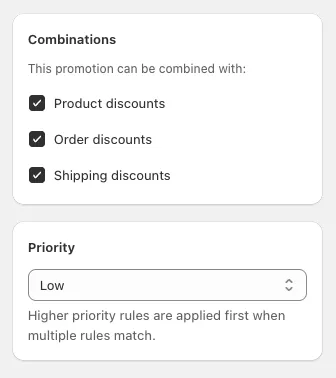
At most one of your rules applies to each cart line, so nothing double-dips by accident. And you choose what combines with product, order and shipping discounts.
Offers for specific customers, and per-customer limits, need the shopper to be signed in. Guests see “Sign in to unlock this offer”.
On the roadmap
Revenue with a discount on it isn’t always revenue the discount created.
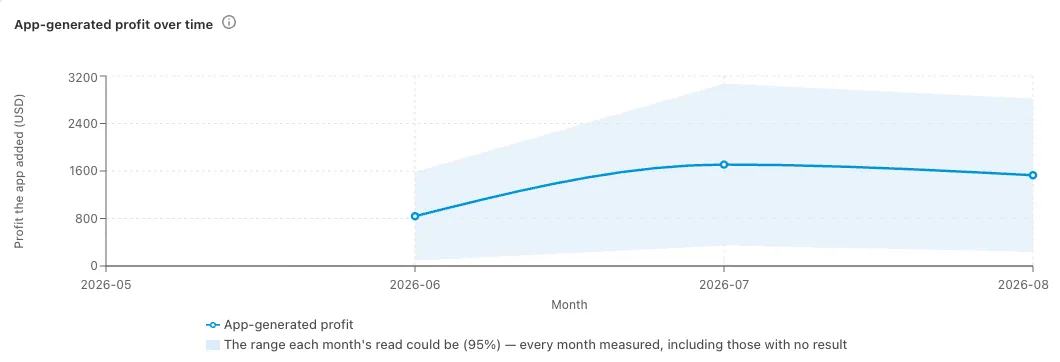
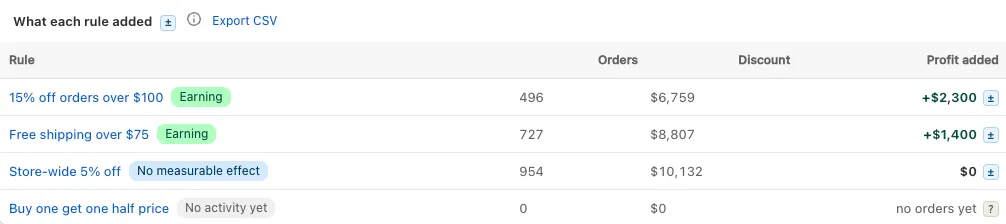
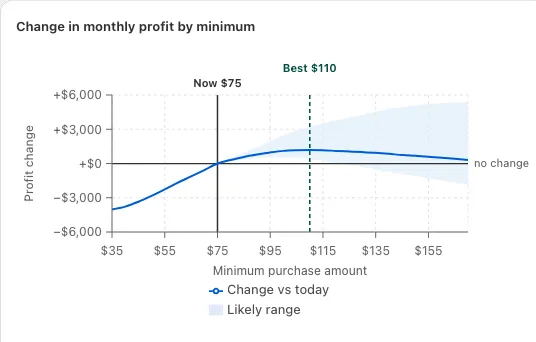
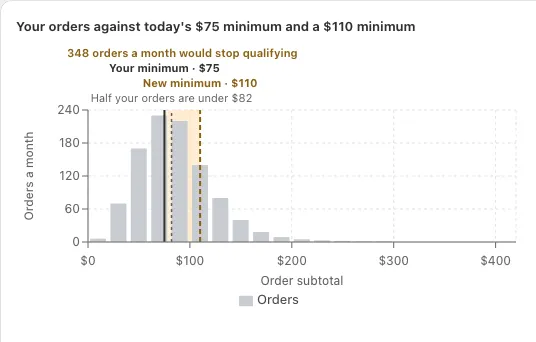
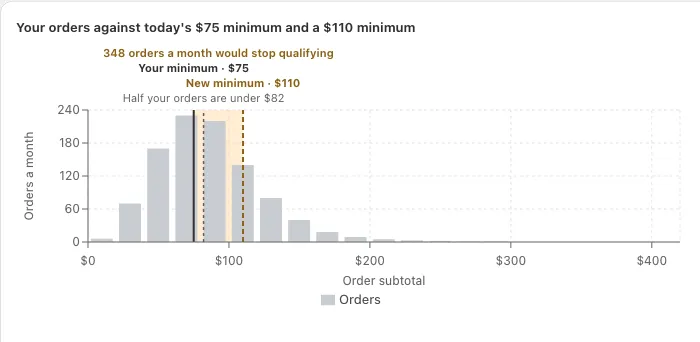
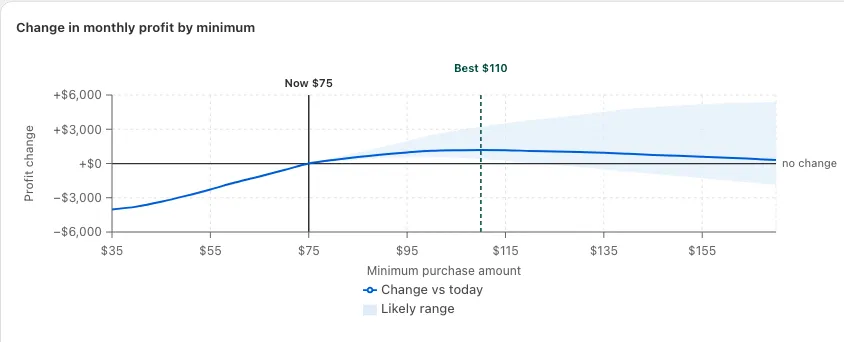
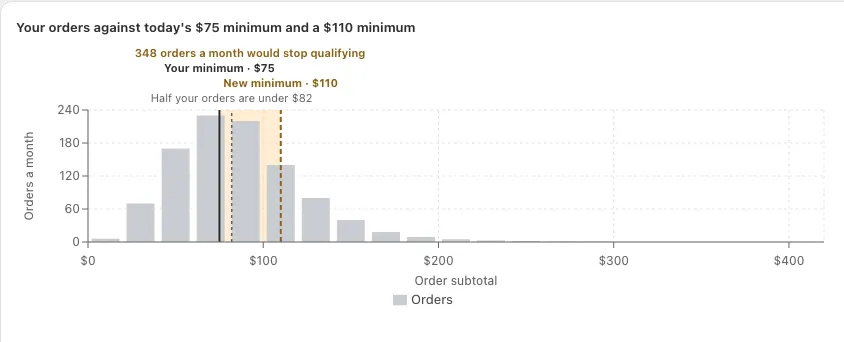
Profit analytics for SalesJuice will measure the app’s own impact with a holdout. A small share of shoppers don’t see SalesJuice’s storefront displays, but every discount they qualify for still applies at checkout, so no shopper is ever denied a price. The gap between the two groups is what the app added.
- Profit shown as a range, with the method behind every number.
- Every figure labelled measured, observed or modelled.
- Results for each rule.
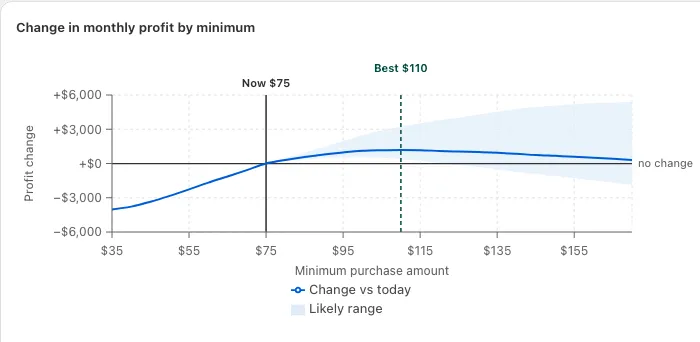
- Model a change before you make it.
- Export to CSV.
Built into Shopify
Built on Shopify’s own checkout.
Shopify Functions, native checkout
Discounts run inside Shopify’s checkout. No Scripts, no checkout hacks.
No theme code
Installs as app blocks and app embeds. Set colors, shape and wording in the theme editor.
9 storefront languages
English, French, Spanish, German, Portuguese (Brazil and Portugal), Chinese (Simplified and Traditional) and Japanese. Or your own wording, through Shopify’s Translate & Adapt.
Multi-currency
Fixed amounts are converted at Shopify’s own rates.
Built light
Storefront scripts are held to strict size budgets.
Campaigns
Group rules into campaigns with their own dates.
Early access
Get SalesJuice before everyone else.
Join the early-access list. You’ll hear first when it opens, and pricing goes to members before anyone else.
Check your inbox to confirm your spot.
We’ve sent you a link to confirm.
Questions merchants ask
When does it launch?
Early access is opening soon. Everyone on the list hears first.
What will it cost?
Pricing will be announced to early-access members first.
Will it work with my theme?
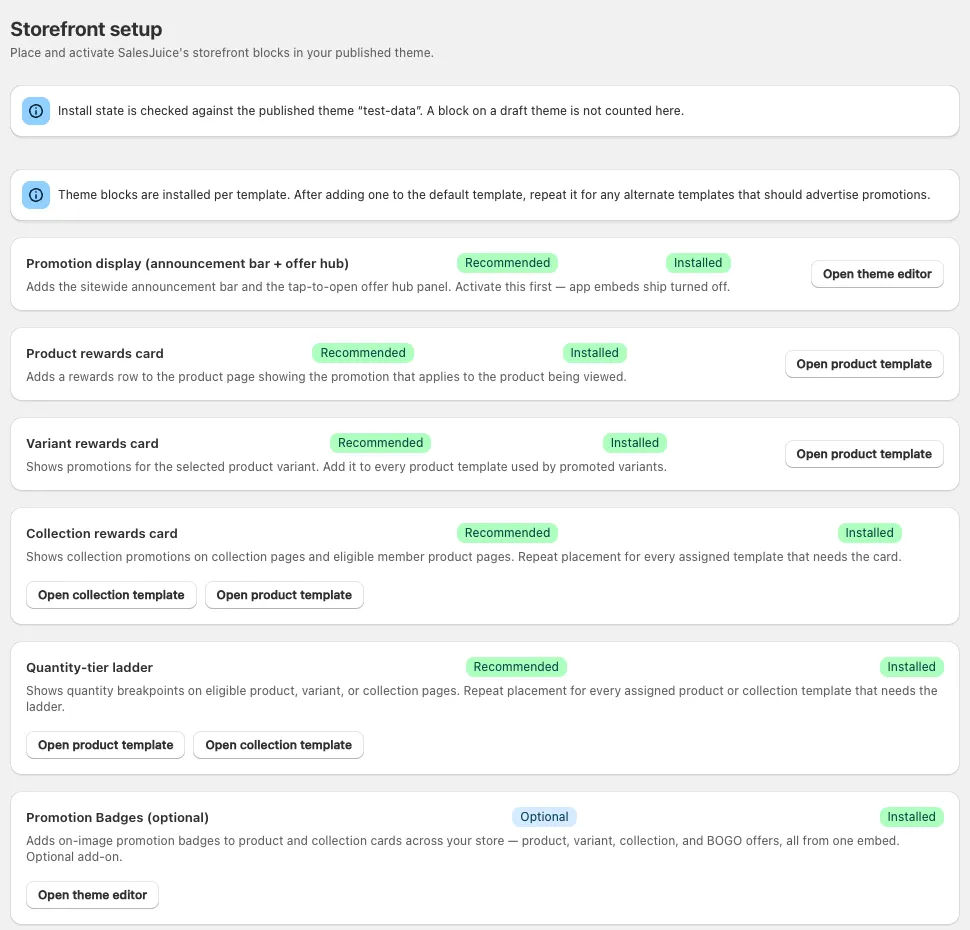
SalesJuice works through the Shopify theme editor. You add its app blocks and embeds where you want offers to show, with no theme code edits, and style them to match your brand. Setup is a checklist in the app.
Will it slow my store down?
It’s built to be light: its storefront scripts are held to strict size budgets. The discounts themselves run on Shopify Functions inside Shopify’s checkout.
Does it work with my existing Shopify discounts?
Each SalesJuice rule has its own combination settings for product, order and shipping discounts, so you decide what can stack with what.
Do shoppers need an account?
No. Only offers for specific customers (by tag, order history or amount spent) and per-customer limits need a signed-in shopper. Guests see “Sign in to unlock this offer” on those.
What do I get by joining now?
Access before public launch and pricing before anyone else. And a say in what we build: every email invites a reply.
Is SalesJuice made by Shopify?
No. SalesJuice is an independent app for Shopify stores.
Still deciding? Get early access and ask us anything: every email invites a reply.